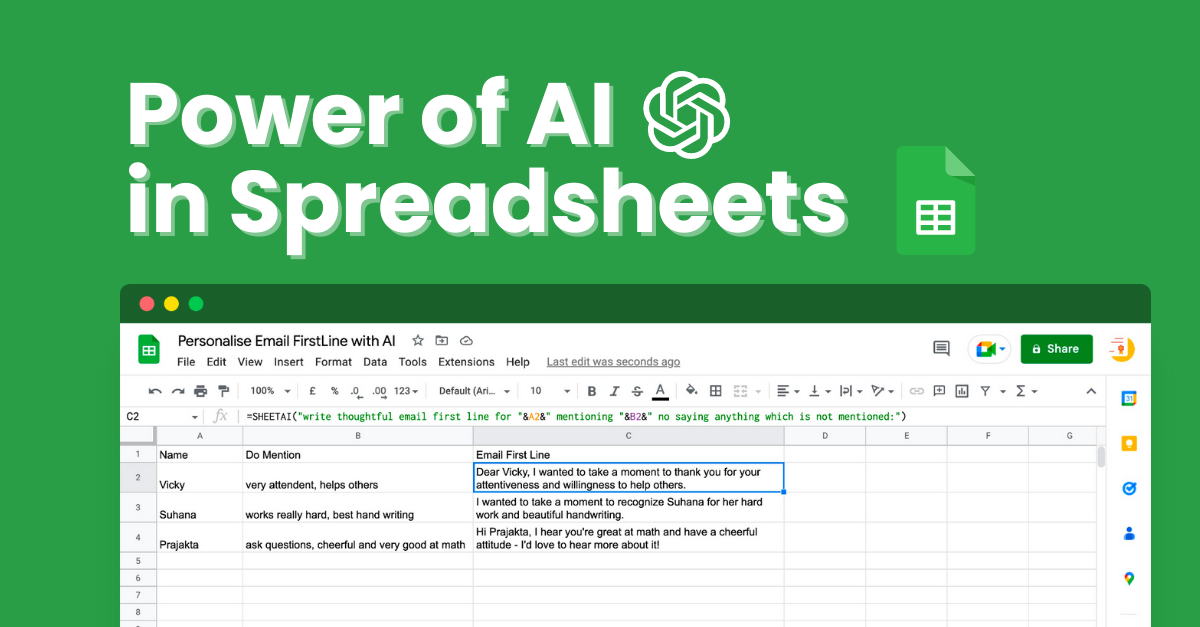
Write one formula, drag it down, and every row fills with AI text or images. No more pasting into ChatGPT one cell at a time.
| A | B | |
|---|---|---|
| 1 | Product | Description |
| 2 | Ceramic pour-over coffee set | Brew slow mornings with a matte black pour-over set that makes two perfect cups. |
| 3 | Linen throw blanket | A stonewashed linen throw in warm oat, light enough for summer and cosy all year. |
| 4 | Bamboo desk organiser | Five tidy compartments and a phone slot keep your desk clear and your day calm. |
| 5 | Soy wax candle, fig and cedar | A hand-poured soy candle with fig and cedar that burns clean for 45 hours. |
| 6 | Stainless steel water bottle | Keeps water ice cold for 24 hours in a 750 ml bottle built for the daily commute. |
| 7 | Recycled cotton tote | A sturdy recycled cotton tote with an inner pocket that carries up to 15 kg. |
| 8 | Oak serving board | A 40 cm solid oak board, oiled and ready for cheese, bread and long dinners. |
198k+ installs and 4.5 stars on Google Workspace Marketplace. Used by people at


AI in Google Sheets in three steps
No new tool and no migration. You stay in the sheet you already have.
- Step 1
Install the add-on
Click Install on Google Workspace Marketplace. SheetAI then shows up under Extensions in every Sheet you open.
- Step 2
Connect a key, or go hosted
Open the sidebar and paste an OpenAI, Claude, Gemini or Grok key to use SheetAI free. Or pick a hosted plan and skip the keys.
- Step 3
Write a formula and fill down
Describe the job in plain English, then drag the cell down. Every row fills with text or an image.

One formula for every column that needs AI
From ad creatives to data cleanup — run text AI and Replicate media (images, video, music) at spreadsheet scale.
Built for Every Team
| A | B | |
|---|---|---|
| 1 | Product and offer | Headline |
| 2 | Linen throw blanket, 20% off | Cosy Season Starts at 20% Off |
| 3 | Pour-over coffee set, free shipping | Better Coffee, Shipped Free |
| 4 | Soy candle, buy 2 get 1 | Buy Two Candles, Get One Free |
| 5 | Water bottle, new colours | Five New Colours Just Landed |
| 6 | Cotton tote, back in stock | The Sold Out Tote Is Back |
| 7 | Desk organiser, bundle deal | Clear Desk, Clear Head |
| 8 | Oak serving board, gift wrap | The Gift for People Who Host |
| A | B | |
|---|---|---|
| 1 | Product | Image |
| 2 | Ceramic pour-over coffee set |  |
| 3 | Linen throw blanket |  |
| 4 | Soy wax candle, fig and cedar |  |
| 5 | Stainless steel water bottle |  |
| 6 | Oak serving board |  |
Bulk AI images, video and music in Google Sheets
Connect Replicate, put your prompts in a column and drag the formula down. You get hundreds of assets without opening an image, video or audio tool.
Images
=SHEETAI_IMAGE(A2)Product shots, ad creatives and thumbnails. Fill 200 rows and get 200 images from one formula.
Video
Replicate video modelsShort clips and product reels generated row by row, without a video team.
Music and audio
Replicate audio modelsBackground tracks and jingles, one for every product or scene.
Spreadsheets run the business. AI still lives outside them.
Your catalog, leads and briefs already live in Google Sheets. Chatbots and image tools make you leave, export and glue the results back together.
AI lives in another tab
Copy, paste, fix the formatting, repeat. You cannot drag a prompt down 500 rows in a chat window, and the context is gone once you leave the sheet.
Hours go to the same work
Product descriptions, tags and cleanup done one row at a time, while the sheet keeps growing.
Media is a separate job
Images, clips and audio come from different apps, and you still match every file back to its row by hand.
Put AI where the work already is.
SheetAI is a Google Sheets add-on that turns your spreadsheet into a bulk AI workspace, with formulas for text and Replicate-powered media.
Stay in the sheet
Write a formula once and drag it down. Every row gets an answer, a label, a description or a generated asset.
Bring your own keys, free
Use OpenAI, Claude, Gemini, Grok or Replicate on your own bill, or pick a hosted plan when you want zero setup.
Built for bulk
Catalogs, campaign packs, translations and research tables, the jobs that take days one cell at a time.
What users say on Google Workspace Marketplace

Google Sheets user
“This is terrific! Very easy to use, extremely powerful. It's still a little rough around the edges, but with a little patience a great deal can be done with it.”
wrote this on 4 Jan 2022 on Google Workspace

Marketer
“I have utilized SheetAI to generative AI content for marketing purposes and have seen positive results. I believe it could potentially be beneficial for a range of uses and recommend giving it a try.”
wrote this on 28 Dec 2022 on Google Workspace

Google Sheets user
“Wow, incredibly powerful. Works perfectly after some issues at first, but the developer was tireless in helping me sort it out.”
wrote this on 18 Dec 2022 on Google Workspace
SheetAI Pricing
Tell us what you'll do and how much. We'll show the plan you need and what it costs.
1.What will you do?
Write, summarise, classify, translate, extract
2.Which model?
3.How many a month?
500AI calls
You need
Free · your own key
$0to SheetAI
+ about $0.30/mo paid to OpenAI
Install freeHow to add your API keyModel costs are estimates from public list prices, billed by your provider. SheetAI never adds a markup on your own key.
All plans at a glance
One-off bulk job? Buy a credit pack instead (no subscription)
Need a team / domain license? Email support@sheetai.app
Frequently asked questions
Do I need an API key to use SheetAI?
No. You can use SheetAI free with your own OpenAI, Claude, Gemini, Grok or Replicate key, and you pay those providers directly. Or pick a hosted plan from $12 a month and skip the keys.
How do I fill a whole column with AI in Google Sheets?
Type =SHEETAI("your prompt") in the first row, then drag the cell down. Every row runs the prompt with its own data. The SheetAI docs cover the formula options.
Can SheetAI make images, video and music?
Yes. =SHEETAI_IMAGE generates an image per row, and video and music run through Replicate. See the image generation docs.
What can I use it for?
Product descriptions, product images, SEO titles, ad headlines, translations and review replies are the common ones. Anything you would repeat down a column works.
How much does it cost?
Free with your own API key, or hosted plans from $12 a month. Credit packs are available if you only need bulk runs. Details are on the pricing page.
Does SheetAI look at or share my data?
No. We do not look at or share your data, and we only store what the add-on needs to work.

Your next campaign shouldn't start in five tabs.
Run AI next to the data you already trust. Text today, images, video and music when the brief needs more.
198k+ installs · Free with your own API key